Multimodal Inputs
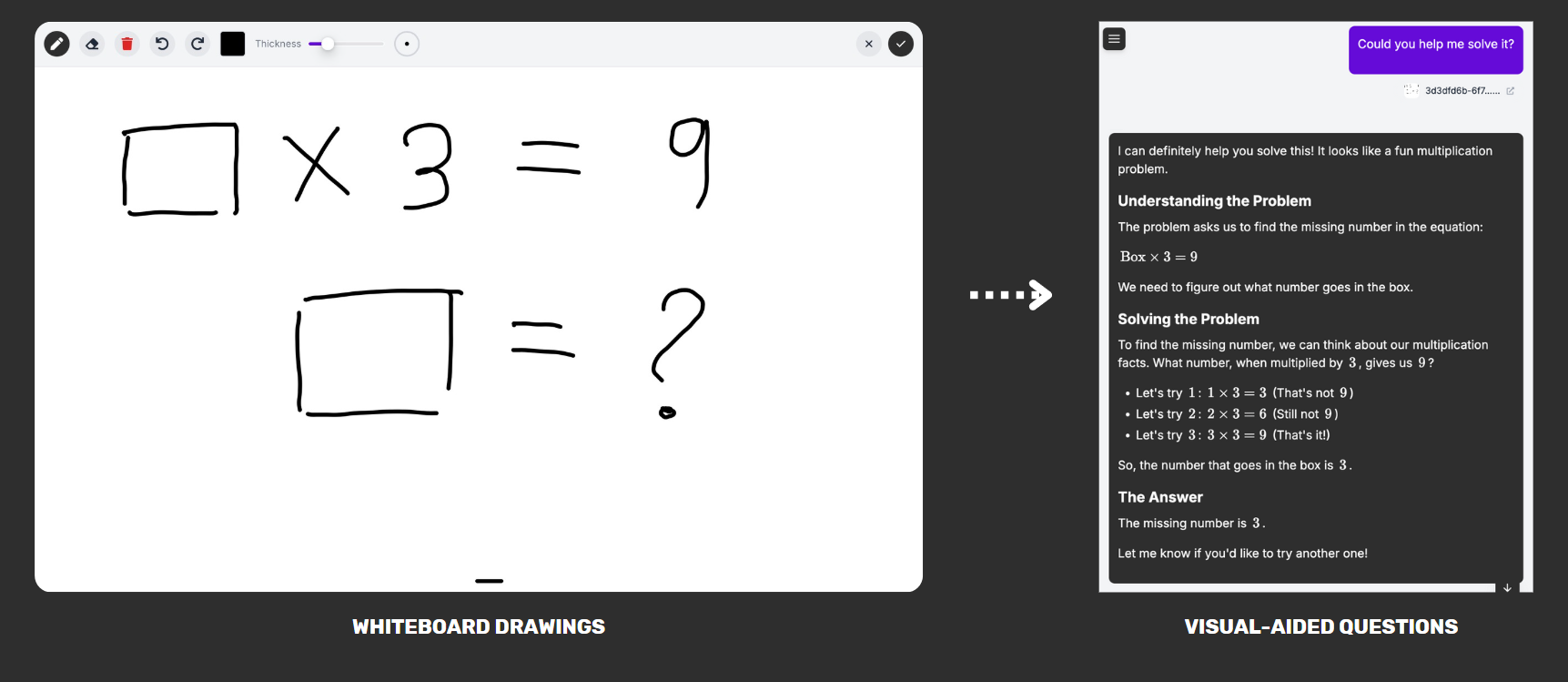
Knobase agents support multimodal input, allowing users to interact using more than just text. This means students, teachers, and staff can submit images, PDFs, and visual aids—and the agent will respond with context-aware feedback tailored to the content.
Written By Christopher Lee
Last updated About 1 year ago
Why Multimodal Matters
✅ Supports visual learners and creative tasks
✅ Enables real-world classroom scenarios like worksheet review or diagram analysis
✅ Makes agents more versatile and inclusive
✅ Reduces barriers for younger students or those with language challenges
Supported Input Types
💡 Example Interaction
Student: Uploads a worksheet image and asks,
“Can you help me with question 3?”Agent: Analyzes the image, identifies question 3, and replies:
“Sure! Question 3 asks you to compare two ecosystems. Try listing their differences in climate, biodiversity, and human impact. You can refer to the ‘Science Term 2’ guide for examples.”
Was this helpful?
Still need help? Ask the team