Testing & Refining Agents
Once your AI agent is created, it’s essential to test its performance in realistic school-based situations. This ensures the agent is not only functional but also accurate, age-appropriate, and aligned with your school’s tone and expectations.
Written By Christopher Lee
Last updated About 1 year ago
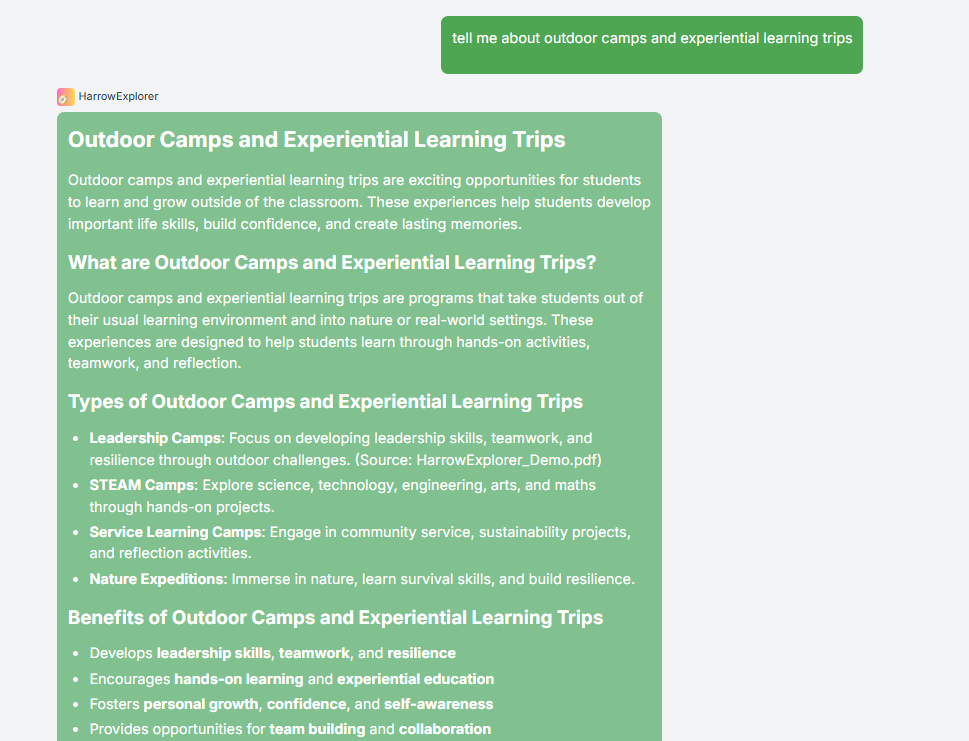
Why Testing Matters
✅ Verifies that the agent understands and uses your uploaded documents correctly.
✅ Ensures the agent communicates in the right tone for its audience (e.g., playful for students, formal for staff).
✅ Confirms the agent is fulfilling its intended role—whether answering curriculum questions, supporting admin tasks, or guiding student learning.
How to Test Your Agent
Access the Agent
Go to your Knobase dashboard.
Click “More” → Find your agent → Start a chat.
Try Sample Queries
Ask questions based on the agent’s purpose:
“What’s the school uniform policy?” (Admin Agent)
“When is the next Year 9 science assessment?” (Curriculum Agent)
“Can you give feedback on my essay?” (Student Support Agent)
Evaluate the Responses
Is the answer accurate and based on your documents?
Is the tone appropriate for the audience?
Does the agent cite sources or refer to folders correctly?
Refine as Needed
Adjust the system prompt for clarity or tone.
Upload additional documents to improve context.
Reorganize folders or update outdated files.
Peer Review & Feedback (Optional)
Encourage colleagues to test your agent and provide feedback using criteria like:
✅ Clarity of Purpose
✅ Prompt Effectiveness
✅ Tone & Age Appropriateness
✅ Usefulness
✅ Personalization
✅ Creativity
This collaborative review helps ensure your agent feels like a real member of your school community.
Was this helpful?
Still need help? Ask the team