Visual Styling
Knobase allows educators to visually customize each AI agent to reflect the school’s branding, the agent’s role, and the intended audience. This personalization helps agents feel like a natural part of your school’s digital ecosystem and enhances user engagement. Why It Matters Brand Alignment: Reinforces your school’s identity across platforms. Audience Connection: Makes agents more approachable and relatable. Functional Clarity: Helps users instantly recognize the agent’s purpose.
Written By Christopher Lee
Last updated About 1 year ago
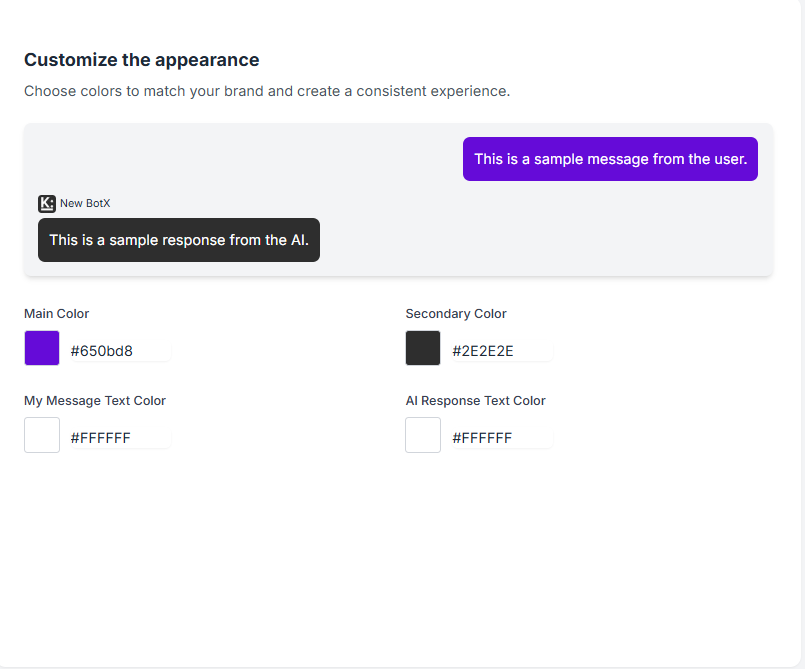
Customization Features
Color Scheme
Choose primary and secondary colors to match your school’s palette or the agent’s theme.
Example: Bright blue and yellow for a playful primary school agent; navy and grey for a formal admin bot.
Subject-Specific Icons
Assign icons that reflect the agent’s domain:
📐 Math
🧪 Science
🗂️ Admin
🎨 Arts
Helps users visually identify the agent’s role.
Layout & Visual Tone
Adjust font style, spacing, and interface elements to suit:
Age group (e.g., larger text and emojis for younger students)
Department (e.g., clean and minimal for staff-facing agents)
Examples of Visual Customization
Was this helpful?
Still need help? Ask the team