Roles & Permissions
Written By Christopher Lee
Last updated About 1 year ago
Knobase’s user management system is designed to support secure, scalable collaboration across the entire school community. From teachers and students to administrators and IT teams, each user is assigned a role with clearly defined permissions—ensuring that access to AI tools, reports, and analytics is both purposeful and protected.
Whether you're configuring access to the AI-powered report card or managing agent creation rights, Knobase gives schools full control over who can see, edit, and act on data.
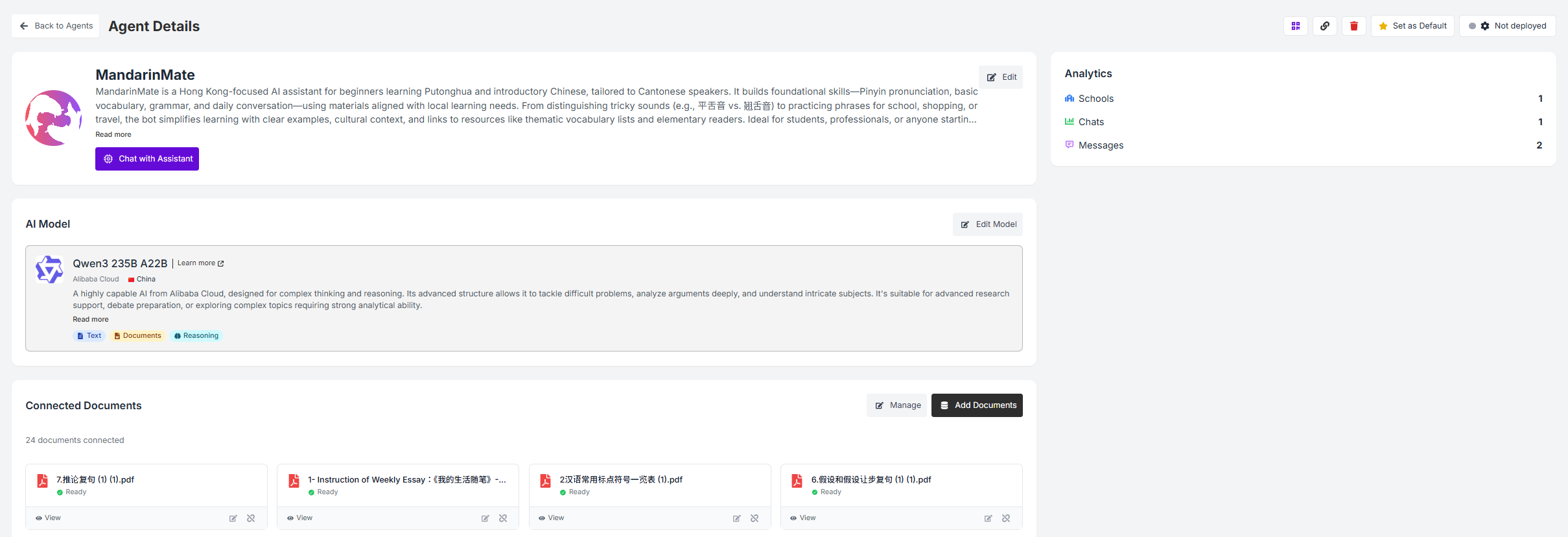
Click on “Not Deployed”

🧠 Why It Matters
✅ Prevents unauthorized access to sensitive student data
✅ Supports differentiated access for teachers, leaders, and support staff
✅ Enables safe collaboration across departments and grade levels
✅ Aligns with school policies and safeguarding protocols
⚙️ How It Works
🔐 Role-Based Access Control (RBAC)
Each user is assigned a role (e.g., Teacher, Student, Parent, Admin, IT)
Permissions are mapped to tasks such as:
Viewing reports
Editing feedback
Creating agents
Accessing analytics
Managing documents
👩🏫 Teacher Role
Can view and edit student reports
Create and configure AI agents for their subjects
Access prompt literacy scores and feedback tools
Submit flagged prompts for review
👨👧 Parent Role
Can view student summaries and translated reports
Provide feedback on clarity and usefulness
Cannot access raw data or edit content
🧑🎓 Student Role
Can interact with AI agents
View their own reports and feedback
Cannot access cohort comparisons or peer data
🧑💼 Admin Role
Full access to all student data, reports, and analytics
Manage user accounts and permissions
Monitor feedback trends and flag issues
Configure school-wide settings and integrations
🧑🔧 IT Role
Manage infrastructure, hosting, and data security
Configure model access and hybrid features
Ensure compliance with privacy protocols
📌 Use Case Highlights
Was this helpful?
Still need help? Ask the team