Flagging & Escalation System
Written By Christopher Lee
Last updated About 1 year ago
Knobase includes an AI-powered Flagging & Escalation System that automatically detects and responds to prompts containing sensitive, harmful, or inappropriate content. This feature is essential for maintaining a safe and supportive learning environment, especially when students interact with AI agents independently.
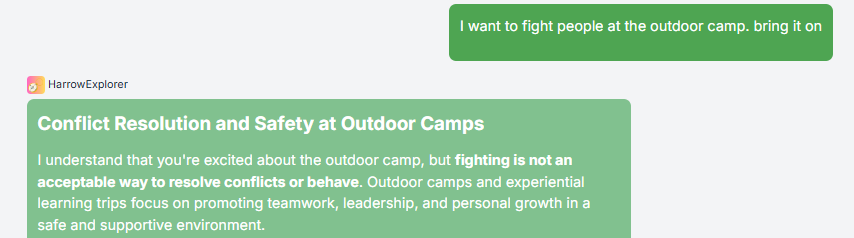
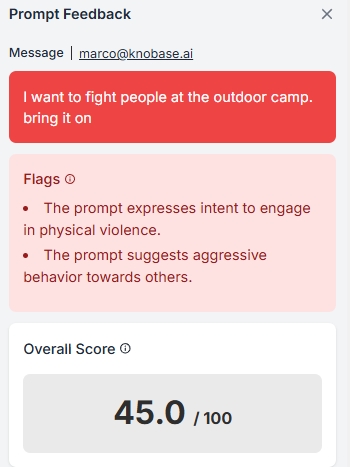
🧠 Why Flagging Matters
✅ Protects students from exposure to harmful or unsafe content
✅ Alerts educators to potential well-being concerns
✅ Promotes responsible AI usage and digital citizenship
✅ Enables early intervention for at-risk students
⚙️ How It Works
Automatic Detection
When a student types a prompt, Knobase scans it for red flags using built-in safety filters and contextual analysis.Flag Categories
Prompts are flagged if they contain:Bullying or harassment
Harmful advice or self-harm indicators
Racial or political sensitivity
Inappropriate or unsafe language
Emotional distress signals
Escalation Protocol
If a prompt is flagged:The system sends an alert to designated staff (e.g., counselor, safeguarding lead)
The flagged prompt is logged in the admin dashboard for review
Optional: The student may receive a supportive message or be redirected to appropriate resources

Check “Chats & Messages” section in the Dashboard
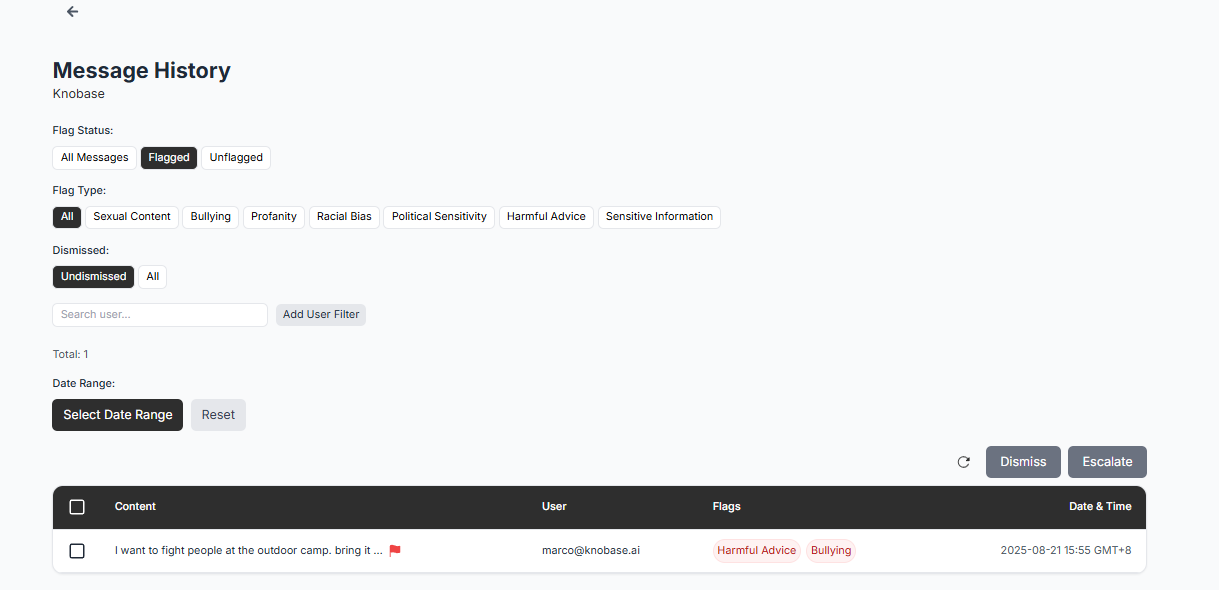
View “Flagged” Message history
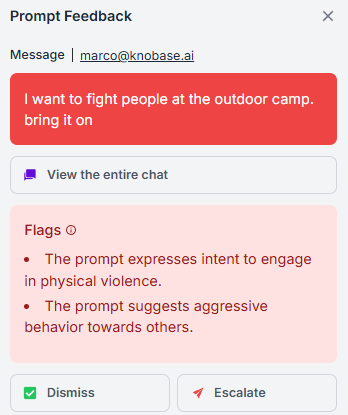
Choose to “Dismiss” or “Escalate” / Option to view the entire chat
📊 Use Cases 🧑🎓 Students: Protected from unsafe AI interactions
🧑🏫 Teachers: Gain visibility into student well-being and digital behavior
🧑💼 Admins: Monitor flagged prompts and ensure timely intervention