Navigate the Knobase Dashboard
Once logged in, you’ll land on the Knobase main dashboard, your central hub for managing AI agents, uploading school documents, and accessing insights. The dashboard is designed to be intuitive, with clearly labeled sections that guide you through every step of the agent lifecycle.
Written By Christopher Lee
Last updated About 1 year ago
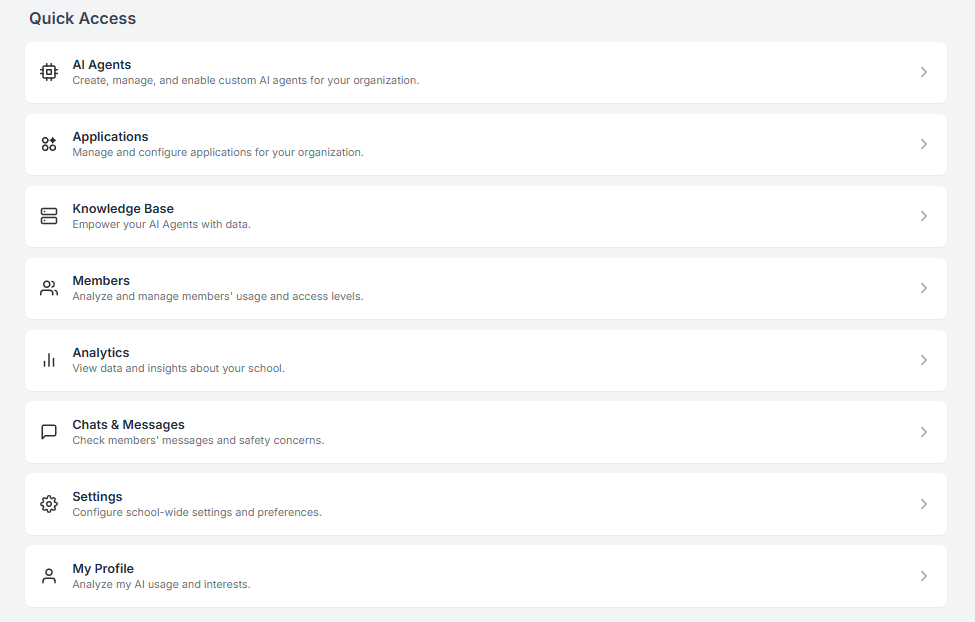
🖥️ Dashboard Sections Overview
🏠 Home
View recent agents, conversations, and activity logs.
Quickly resume work on agents you’ve recently edited or tested.
See system updates and tips for improving agent performance.
🤖 AI Agents
Create new agents or manage existing ones.
Edit system prompts, adjust tone, switch models, and assign user groups.
Access customization tools for icons, colors, and layout.
📚 Knowledge Base
Upload and organize school documents (PDFs, Word files, images).
Create folders by subject, department, or function (e.g., “Curriculum”, “Admin”, “Student Life”).
Connect documents to agents for Retrieval-Augmented Generation (RAG).
📊 Analytics
View student interaction trends, top queries, and engagement heatmaps.
Monitor agent usage across departments.
Identify learning gaps and optimize agent performance.
🧑🎓 Students
Access individual student profiles and chat histories.
Review submitted content and agent feedback.
Track AI usage patterns and personalize support.
⚙️ Settings
Customize your school’s branding (colors, logos, domain).
Set default agent behavior (tone, vocabulary level, response length).
Manage user permissions and deployment groups.