Custom Branding
Written By Christopher Lee
Last updated About 1 year ago
Knobase allows schools to fully customize the visual identity of their AI platform, ensuring that every interaction—whether on the login screen, sidebar, or report card—feels like an extension of the school’s brand. From favicons to sidebar logos, administrators can configure every visual element to reflect the school’s tone, culture, and professionalism.
This not only enhances user trust and familiarity but also reinforces the school’s identity across all AI-powered experiences.
🧠 Why It Matters
✅ Creates a consistent, school-branded experience
✅ Builds trust with students, parents, and staff
✅ Supports school marketing and digital presence
✅ Makes the platform feel like a natural extension of your school
⚙️ How It Works
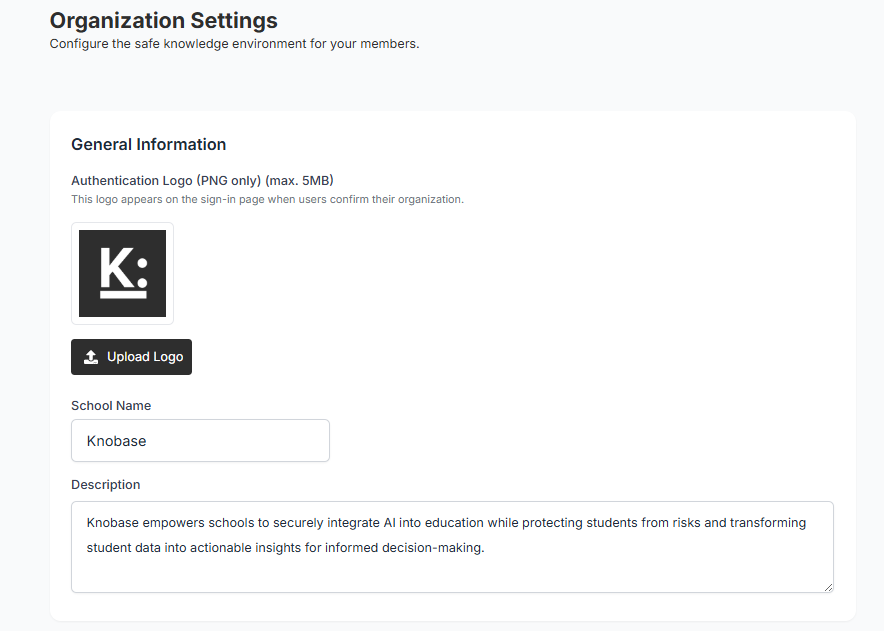
🏫 Organization Settings Panel
Accessible by Admins under Settings → Organization
Configure general information:
School name
Description (e.g., mission statement or AI vision)
Allowed email domains (e.g.,
school.edu.hk)
📧 External Email Policy
Choose how to handle sign-ups from outside your domain:
Block All External Emails
Manual Approval Required
Allow All Email Addresses
🎨 Visual Settings Customize the look and feel of your Knobase instance:
🖼️ Live Previews
Each logo upload includes a preview window
Adjust width and margin sliders for precise alignment
Reset to default styles at any time
📌 Use Case Highlights