Deployment Settings & Access Control
Knobase allows you to selectively deploy agents to specific user groups, ensuring each agent serves its intended audience effectively. This targeted deployment improves clarity, security, and relevance, making sure users only interact with agents designed for their needs.
Written By Christopher Lee
Last updated About 1 year ago
Why Deployment Matters
✅ Prevents confusion by limiting access to agents based on role.
✅ Ensures agents respond in the right tone and context.
✅ Protects sensitive information by restricting access to appropriate groups.
✅ Supports differentiated use cases across departments.
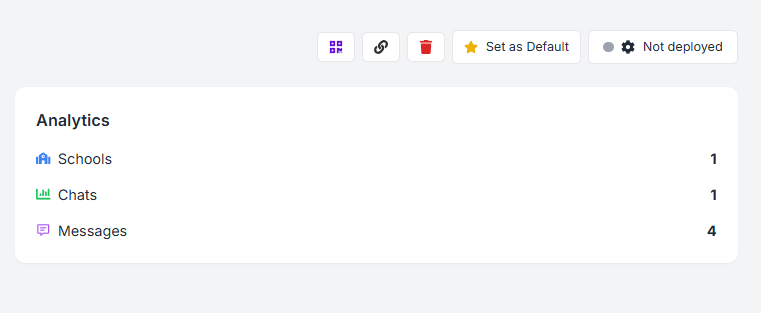
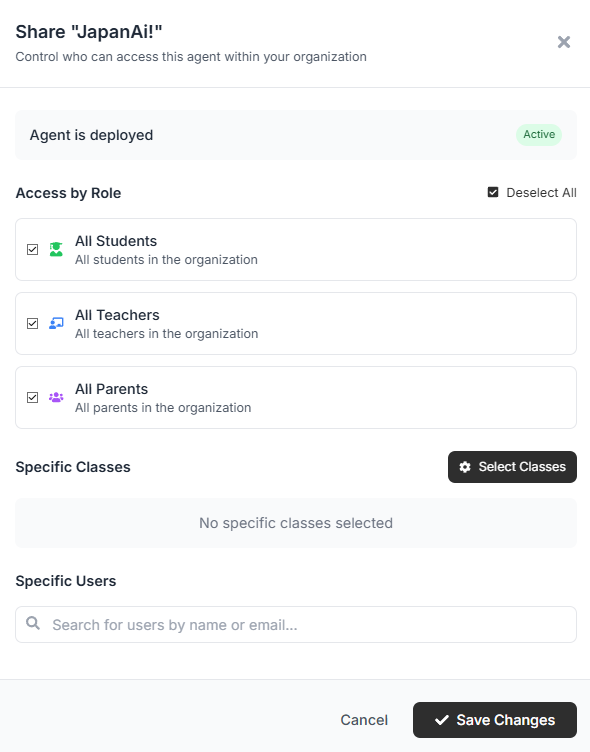
Deployment Options
You can assign agents to the following groups:
Examples of Smart Deployment
🏫 Reception Bot
Deployed to students and parents
Answers questions about school calendar, uniform policy, and term dates.📚 PD Support Agent
Deployed to teachers only
Shares professional development resources, prompt writing tips, and training materials.💰 Finance Assistant
Deployed to admin staff
Handles budget queries, policy lookups, and internal financial procedures.
🛠️ Knobase Is Designed for Iterative & Secure Deployment
Agents can be reassigned or restricted at any time.
You can test deployment with small groups before scaling.
Use role-based access to maintain privacy and relevance.