Monitoring Student Queries
Written By Christopher Lee
Last updated About 1 year ago
Knobase provides educators and administrators with tools to monitor, analyze, and respond to student interactions with AI agents. This feature ensures that AI usage remains purposeful, safe, and aligned with learning goals.
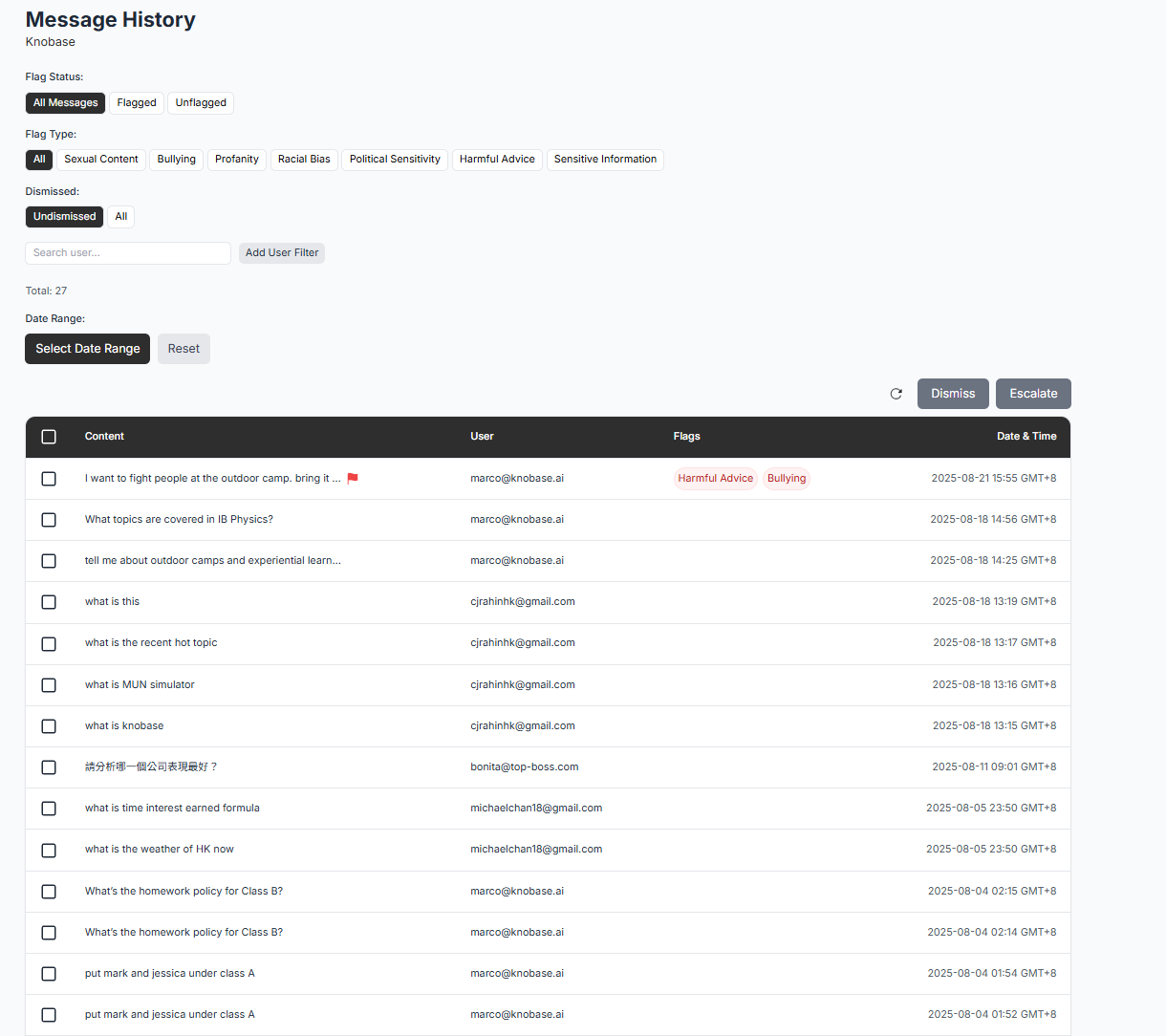
🧠 Why Monitoring Matters ✅ Helps identify learning gaps and confusion areas
✅ Supports early intervention for emotional or academic challenges
✅ Enables data-informed teaching strategies
✅ Ensures responsible and ethical AI usage
⚙️ How It Works
Query Logging
Every student prompt is securely logged in the system, along with:Timestamp
Agent used
Response summary
Flag status (if applicable)
Dashboard Insights
Educators can view:Most frequent topics and subjects
Common question types (e.g., “how,” “why,” “when”)
Prompt quality metrics (clarity, specificity, structure)
Flagged prompts and escalation history
Student Profiles
Each student has a dynamic profile showing:AI usage frequency and timing
Recurring confusion areas
Expressed interests (e.g., sustainability, public speaking)
Emotional tone trends (based on prompt sentiment)
Alerts & Recommendations
The system can:Notify teachers of unusual patterns (e.g., repeated distress signals)
Suggest follow-up actions (e.g., tutoring, counseling)
Recommend personalized learning resources

Click into “Members” in the Dashboard
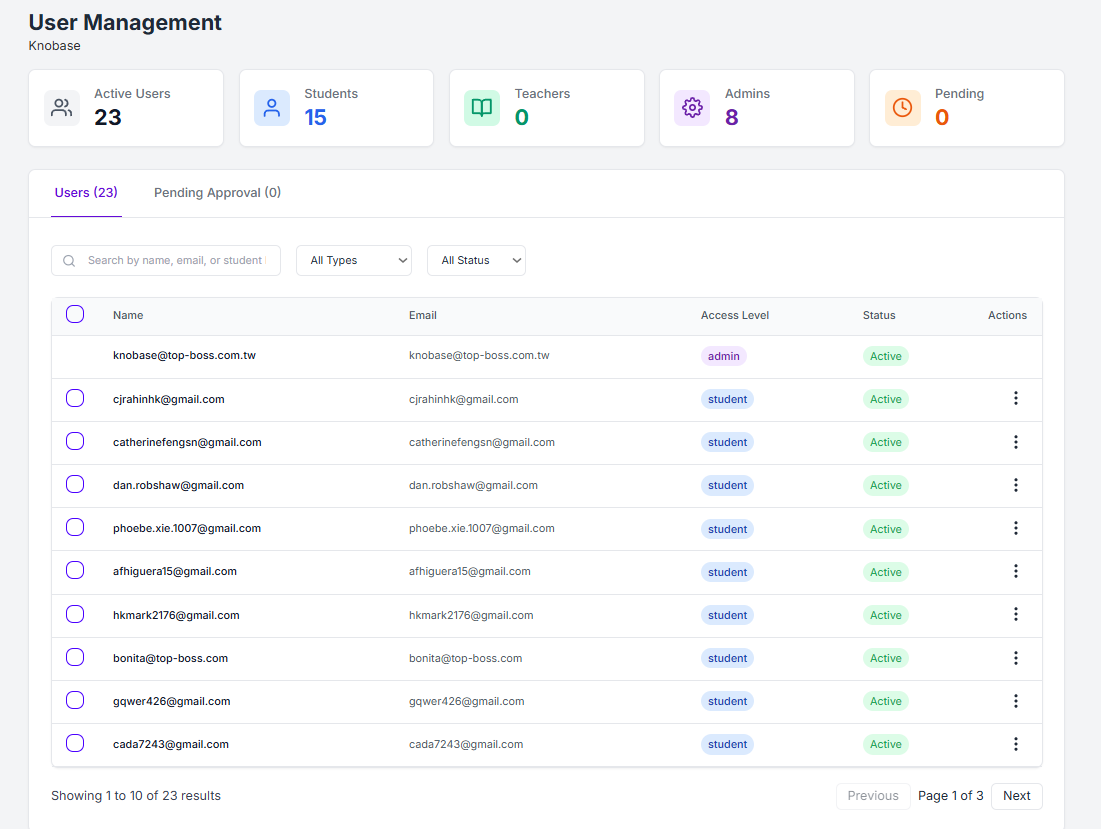
View and click into a Student’s profile
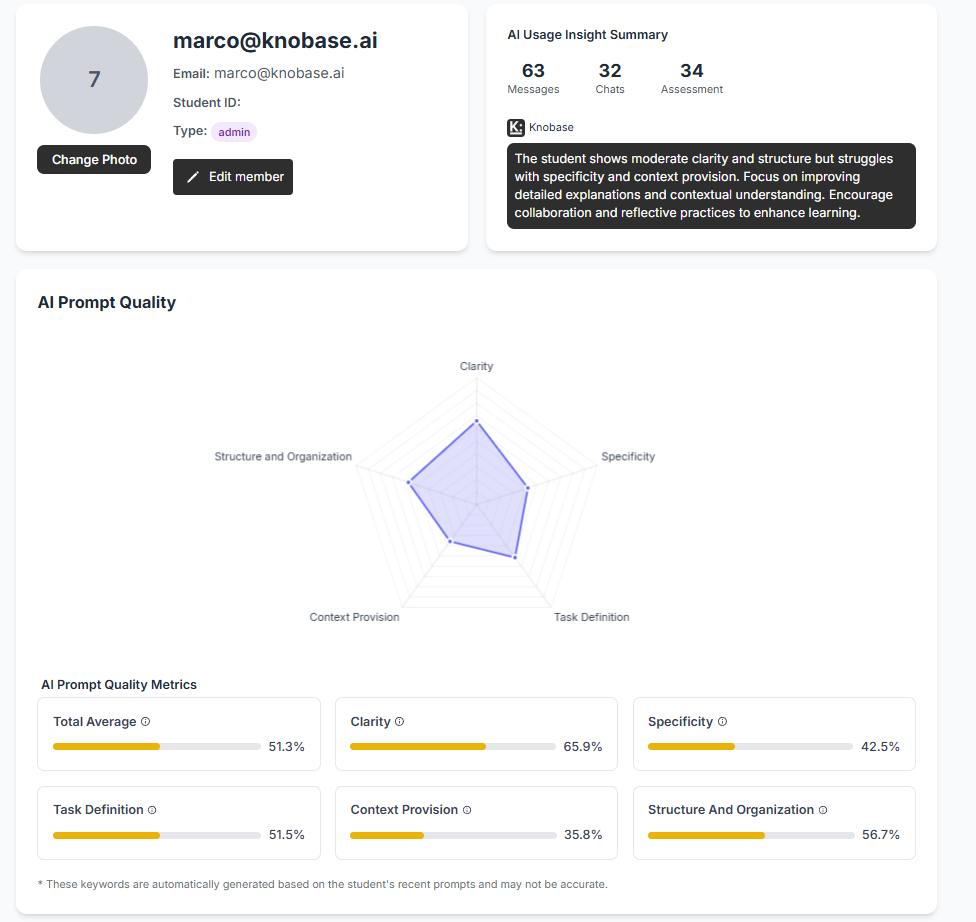
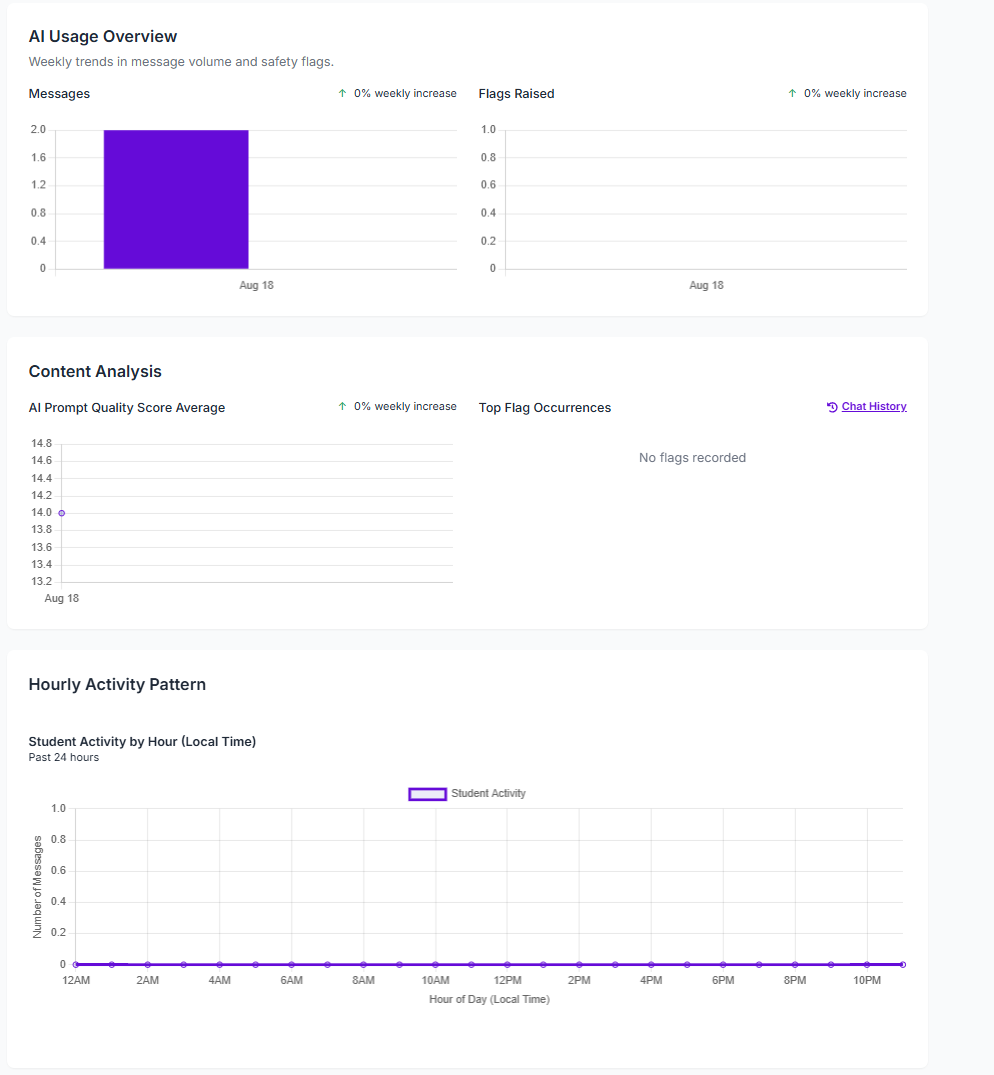
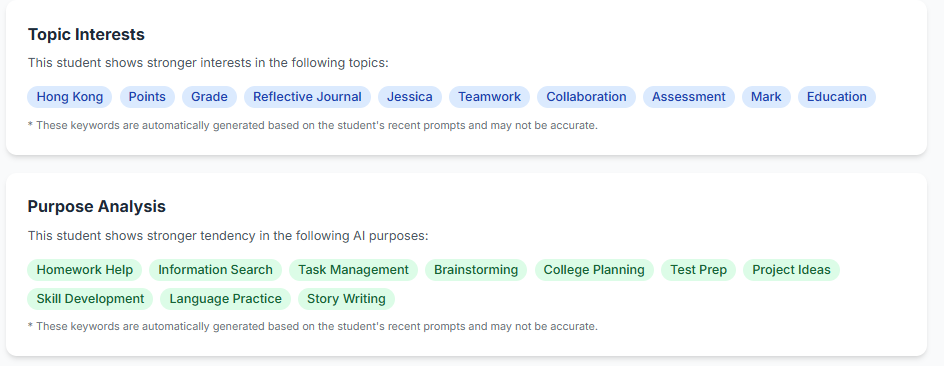
View valuable insights of a student for personalised help
💬 Example Insight
A student frequently asks about climate change and debate formats.
✅ Suggestion: Invite them to join the ESG club and Model UN program.
📊 Use Cases 🧑🎓 Students: Benefit from personalized support and resource recommendations
🧑🏫 Teachers: Gain visibility into student thinking and tailor instruction
🧑💼 Admins: Monitor school-wide AI engagement and identify trends