Choosing a Foundational AI Model

Knobase supports multiple AI models, each optimized for different educational tasks. Choosing the right model ensures your agent performs effectively based on its role, audience, and content type.

Written By Christopher Lee

Last updated 6 months ago

Tips for Model Selection

  • Match the model to your agent’s role (e.g., use Qwen for logic-heavy tasks, Gemini for fast classroom feedback).

  • Consider your audience (e.g., LLaMA for multilingual students, Grok for humanities teachers).

  • Switch anytime—Knobase lets you test and refine models as your needs evolve.


Model Overview
Model

Best For

Description

Gemini 2.5 Flash

Fast classroom interaction, creative writing, real-time engagement

Designed for speed and responsiveness, Gemini is ideal for interactive agents that need to handle multiple student inputs quickly. Great for generating writing prompts, role-playing, and brainstorming.

DeepSeek

Structured outputs, technical tasks, multilingual classrooms

Excels at precise formatting and bilingual support. Ideal for coding, summarizing complex texts, and comparing global perspectives. Strong in multilingual environments.

LLaMA (Meta)

Multilingual support, student-led research, replicable experiments

Lightweight and instruction-following. Perfect for inquiry-based learning, generating summaries, and supporting multilingual classrooms. Used in academic settings like Stanford’s Alpaca.

Qwen

Reasoning, logic, analytical responses, Cantonese support

Optimized for structured thinking and logic-based tasks. Great for cause-effect analysis, coding, and math-integrated lessons. Strong in dialects like Cantonese.

Grok (xAI)

Humanities, ethics, philosophical discussions

Ideal for deep conversations and Socratic questioning. Great for exploring moral dilemmas, debating historical decisions, and engaging in reflective dialogue. Pulls from platforms like X for social context.

Suggested Image Placements & Types

1. Model Comparison Table

  • Image Type: Visual table or infographic summarizing each model’s strengths.

  • Purpose: Help users quickly compare and choose.

2. Real-World Use Cases

  • Image Type: Screenshots or mockups of agents powered by different models (e.g., ClassPulse with Gemini).

  • Purpose: Show how model choice affects agent behavior.

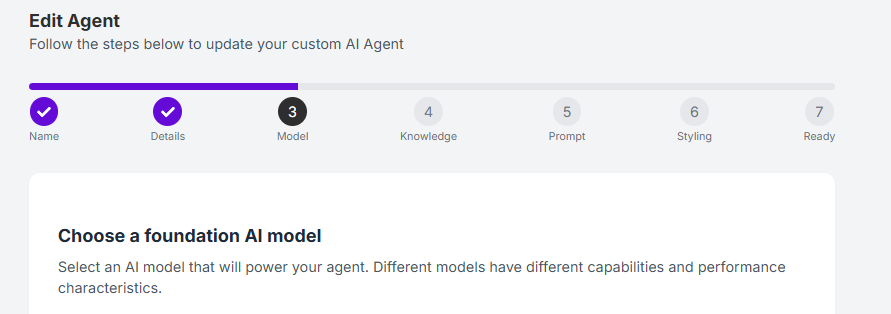
3. Model Selection Interface

  • Image Type: Screenshot of the dropdown or selection panel in the agent setup wizard.

  • Purpose: Show how easy it is to choose and switch models.